Business owners
You pay for a subscription every month but don't feel it has paid off yet. This book shows which tasks give you visible results fastest.
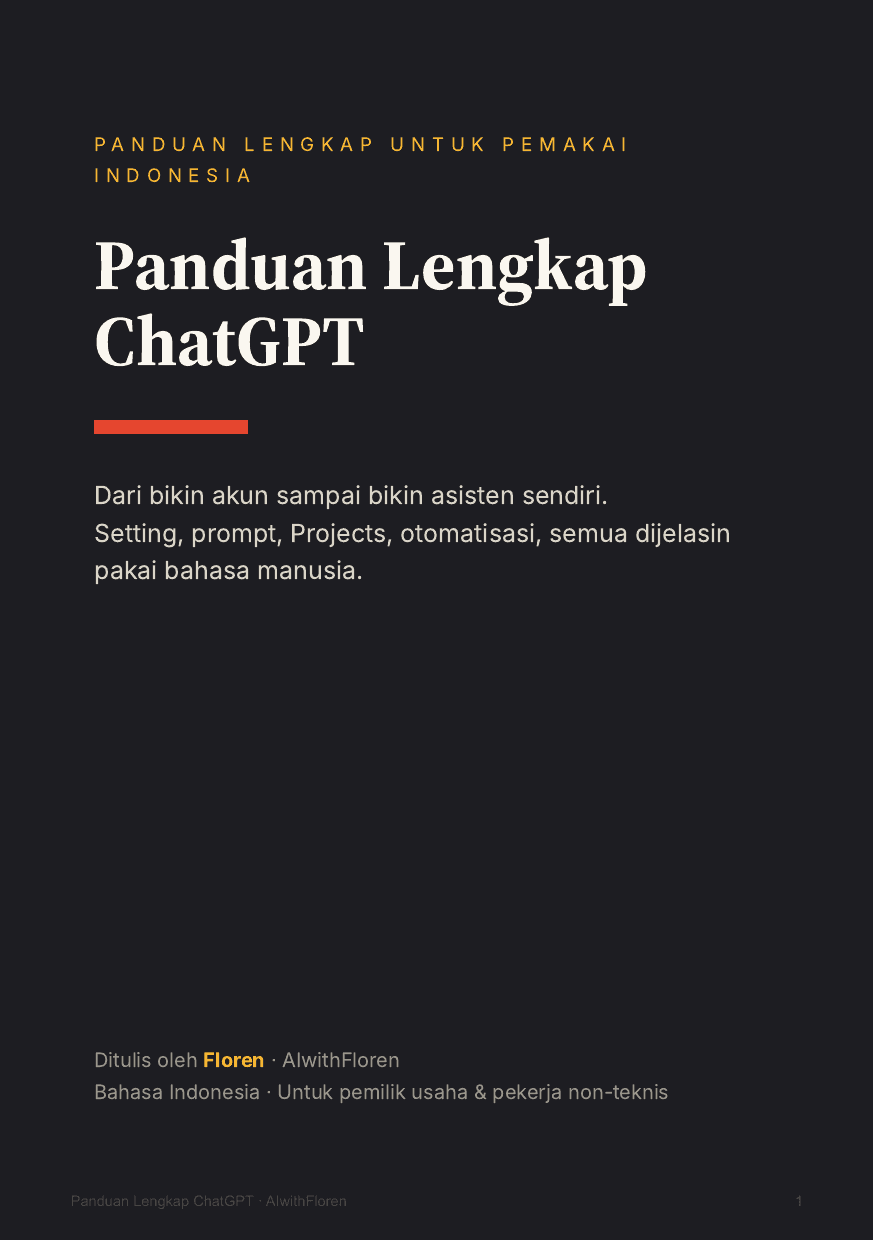
From creating an account to building your own assistant. Settings, prompts, Projects, automation. All explained in plain language, for people who aren't in IT.
If any of the situations below sounds like you, you'll put it to use right away.
You pay for a subscription every month but don't feel it has paid off yet. This book shows which tasks give you visible results fastest.
The same work every day: replying to chats, making reports, meeting notes. There are templates and prompts ready to use.
Lesson materials, quizzes with answer keys, report card comments, and messages to parents. With safe limits included.
Proposals, client reports, and how to price your services. Including how to turn down extra requests without hurting the relationship.
Never opened ChatGPT before? That's fine. Level 1 starts with creating an account and getting to know the buttons.
If you only use it to ask questions, Part 2 and Part 6 usually make the biggest difference.
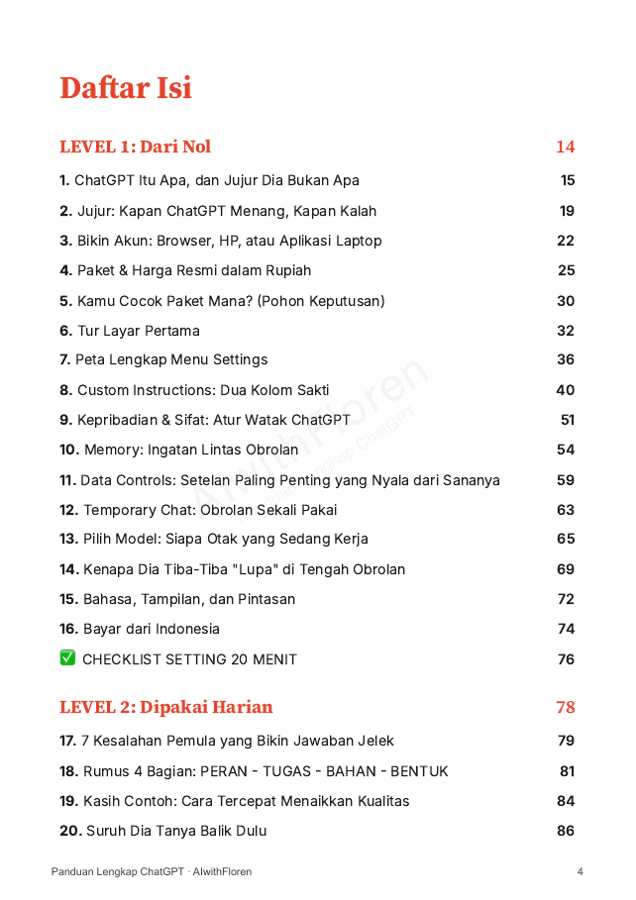
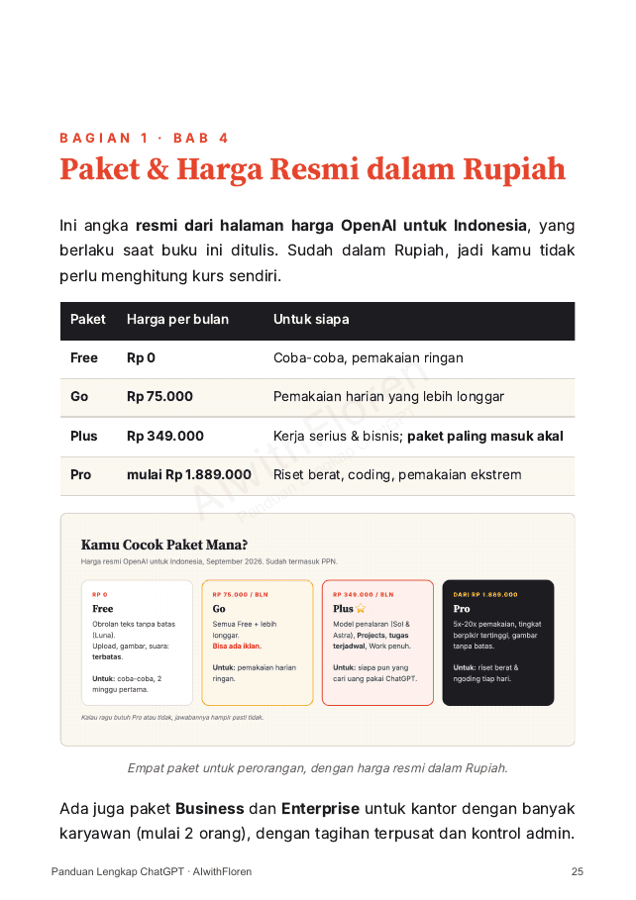
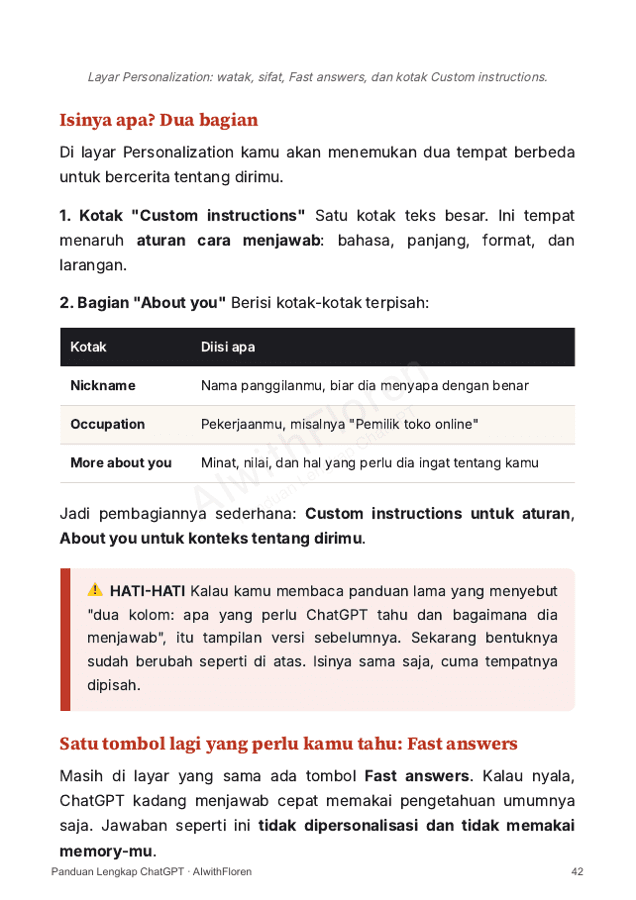
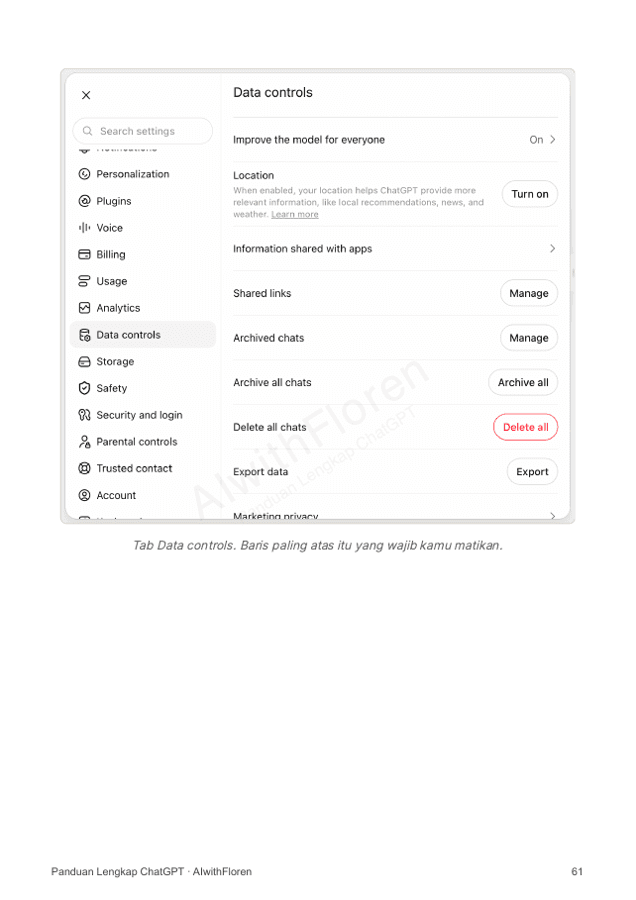
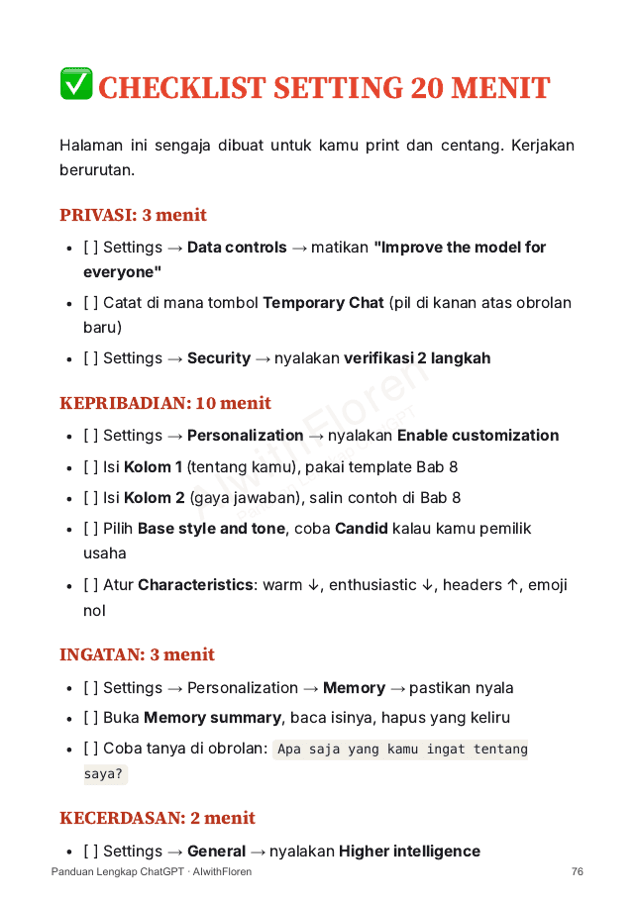
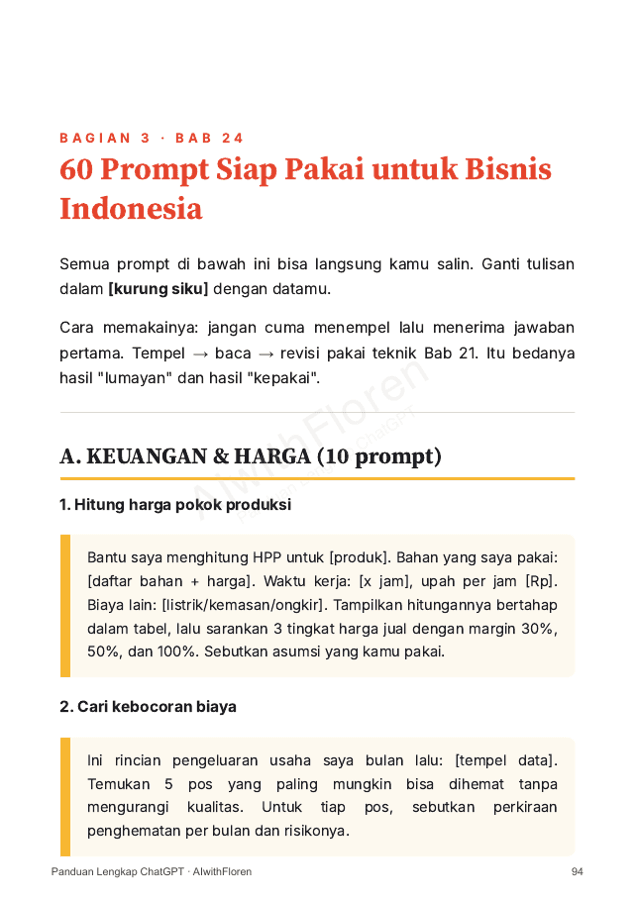
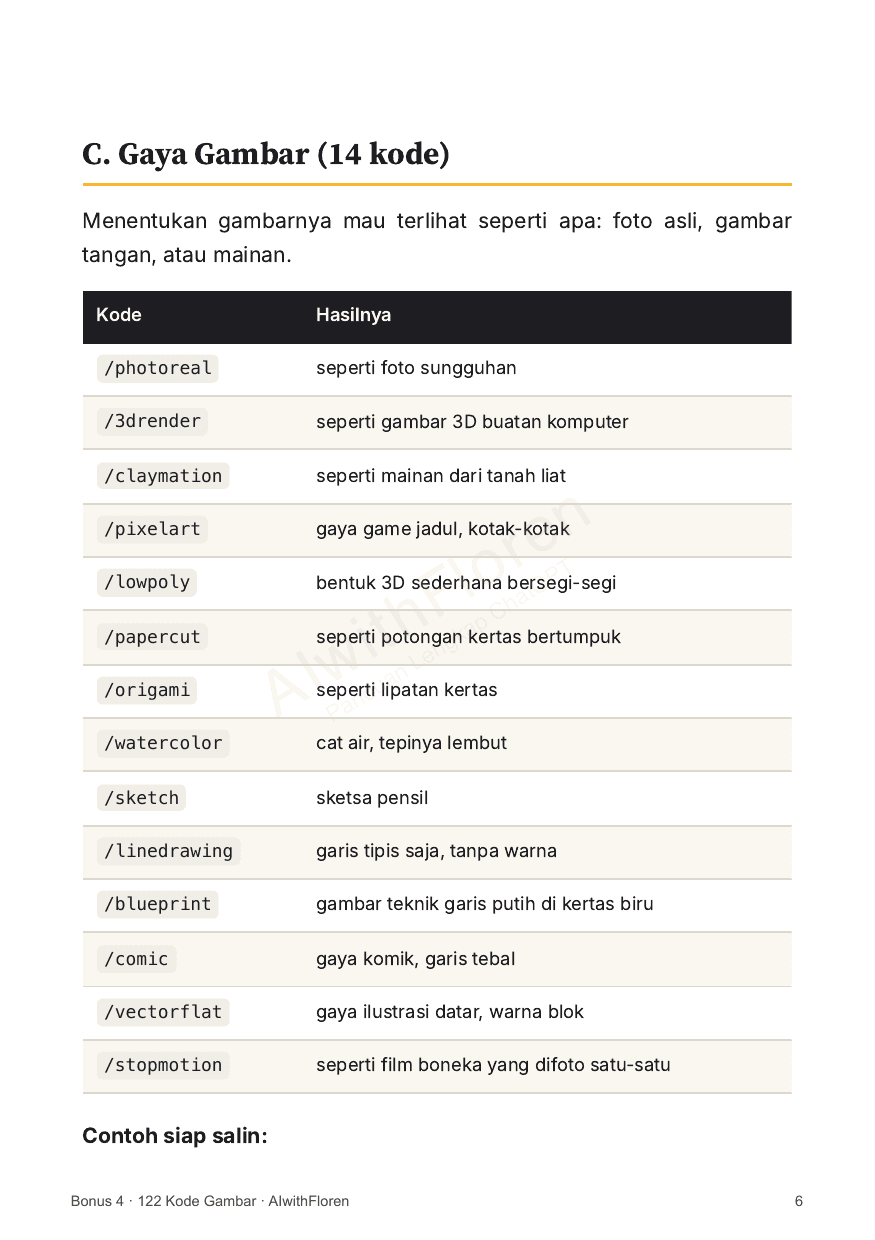
Not decoration. These are pages that are actually in the book (written in Indonesian).
Every number and menu name comes from OpenAI's official documentation, not hearsay or guesswork.
No mock-ups. Plus 20 click-path diagrams showing exactly where each button is, on laptop and phone.
There's a chapter on when ChatGPT loses to other AIs, and which features have been shut down even though many tutorials still teach them.
Checklists, templates, and a 30-day plan. Not something you read once and forget.
Yes. Level 1 starts with creating an account and getting to know the buttons. No part of it expects you to know technical terms.
No. Most of the book works on the no-cost plan. Inside there's an honest comparison of when you really need to upgrade, and when you don't yet.
One PDF file. Read it on your phone, tablet, or laptop, and print it for your own use.
There's a chapter called 'if your ChatGPT looks different from this book' that teaches you how to find things yourself when something changes. The way of thinking stays the same even when buttons move.
Four files: a setup checklist, 60 prompts for Indonesian businesses, Custom Instructions templates, and 122 image codes for product photos and content. They're all built into the PDF.
Automatically. As soon as your payment goes through, the PDF is sent to your email. No waiting for someone to reply.